
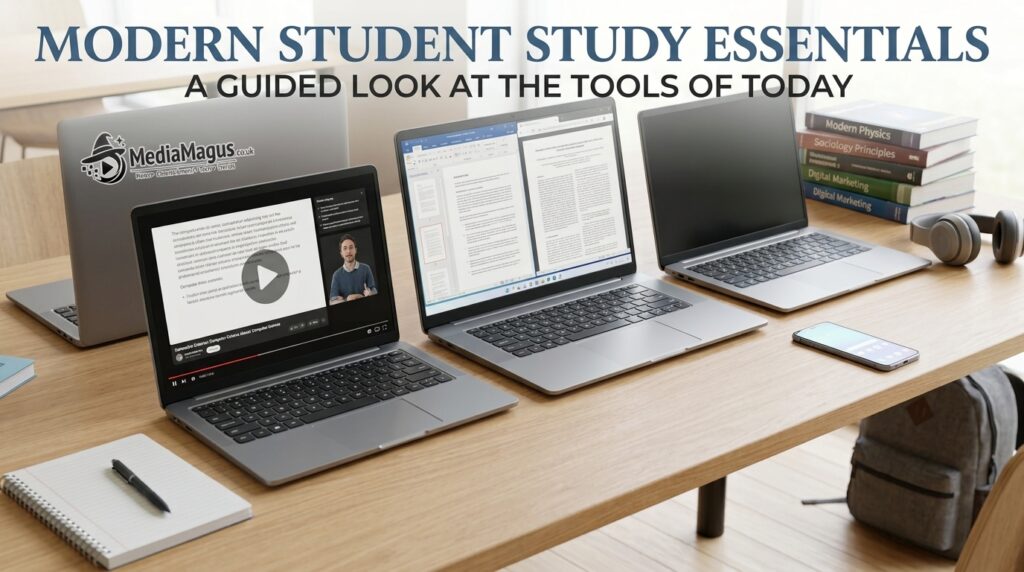

Finding the Best Budget Laptops for Students in 2026 is not simply about choosing the cheapest computer available. Students need a device that can handle assignments, web research, video calls, presentations, documents, online learning platforms and entertainment while remaining affordable enough for a limited budget.
The good news is that budget laptops have become considerably more capable. Affordable machines now commonly offer solid processors, fast SSD storage, Full HD displays, modern wireless connectivity and enough memory for everyday student workloads. The challenge is knowing which specifications actually matter and which features are unnecessary for your needs.
A student writing essays and attending Zoom classes has very different requirements from a computer science student compiling code or a design student editing high resolution images. This guide explains what to look for and highlights the types of laptops that offer the best balance between price, performance, portability and long term usefulness in 2026.
Latest Update: Budget Laptop Trends in 2026
The affordable laptop market in 2026 is increasingly focused on efficiency rather than raw performance. Modern processors can deliver responsive everyday performance without requiring the power consumption associated with older high performance chips. This is particularly useful for students who spend several hours working away from a power outlet.
AI enabled computing is also becoming more visible across the laptop market. However, students should not automatically pay extra for AI focused hardware unless they actually expect to use compatible AI applications locally. For most students, sufficient RAM, an SSD, a comfortable keyboard, a good display and dependable battery life remain more important purchasing priorities.
Another important trend is the growing availability of affordable laptops with 16GB of RAM. Although 8GB can still be adequate for basic schoolwork, 16GB provides considerably more breathing room when a student keeps many browser tabs, Office applications, communication software and other programs open simultaneously.
What Makes a Good Budget Laptop for Students?
A good student laptop should provide enough performance for everyday work without unnecessary premium features. The ideal configuration for many students in 2026 is a modern processor, 16GB RAM where affordable, a 512GB SSD, a Full HD display and dependable battery life.
Build quality also matters. A laptop that costs slightly more but survives several years of daily transportation can be a better investment than an extremely cheap model that becomes unreliable after a short period. Students should therefore consider warranty coverage, keyboard quality, hinge construction and availability of repairs.
Portability is another major factor. If you carry the laptop between home, classrooms, libraries and cafés, a lightweight 14 inch machine may be more practical than a large 15.6 inch model. On the other hand, students who primarily work from home may appreciate the larger screen.
Best Budget Laptops for Students in 2026
The best option depends on your workload and budget. Rather than declaring a single laptop universally superior, it is more useful to identify the models and laptop families that can provide strong value for different student requirements.
Prices and configurations can vary significantly between countries and retailers. Always compare the exact processor, RAM, storage and display configuration before purchasing because the same laptop family may be sold with several different specifications.
Acer Aspire Go
The Acer Aspire Go family is worth considering for students looking for an affordable Windows laptop for everyday computing. Depending on configuration, Aspire Go machines can be suitable for web browsing, Microsoft Office, online classes, presentations and general productivity.
Its biggest advantage is practicality. Students who do not need a dedicated graphics processor or premium construction can potentially save money by choosing a straightforward configuration with a modern processor, adequate RAM and SSD storage.
For a student laptop, look for a configuration with at least 8GB RAM, although 16GB is preferable for longer-term use. A 512GB SSD is also a strong target if your budget allows it.
Lenovo IdeaPad Slim
Lenovo’s IdeaPad Slim range is another strong category for students. These laptops are designed around everyday productivity and portability, making them appropriate for students who need a computer for documents, presentations, research, browsing and online meetings.
The exact experience depends heavily on the configuration. An IdeaPad with a modern Core, Ryzen or equivalent processor and 16GB RAM can provide a much more comfortable multitasking experience than an entry level configuration with minimal memory.
Students should pay attention to the screen specification as well. A Full HD IPS display is generally preferable to a basic low resolution panel because it offers a more comfortable workspace for reading documents and browsing websites.
ASUS Vivobook Go
The ASUS Vivobook Go range targets users who want an affordable, portable computer for everyday tasks. Its compact designs can make it attractive to students who regularly carry a laptop between classes.
Vivobook models can be found with different operating systems and processor configurations, so checking the exact specification is essential. A model with a modern processor, sufficient RAM and SSD storage can comfortably handle common student workloads.
The Vivobook family can be particularly appealing to students who value a modern design without moving into expensive premium laptop territory.
HP 14
The HP 14 series has long been positioned as an affordable everyday laptop category and remains relevant for students. Its relatively compact form factor makes it convenient for school and university environments.
A well configured HP 14 can handle word processing, spreadsheets, presentations, browsing, email, streaming and video conferencing. It can also be a useful option for students who need Windows compatibility for university software.
When shopping for an HP 14, avoid selecting purely based on the lowest advertised price. Check the processor generation, RAM, storage type and screen resolution before deciding.
Dell Inspiron
Dell’s Inspiron family provides another option for students who want a conventional Windows laptop. Inspiron models span different price points, so buyers can select a configuration according to their workload.
For students, a mid range configuration can offer a better balance than an entry level model. Look for a recent processor, at least 8GB RAM, SSD storage and a Full HD display.
Dell laptops can also be attractive to students who prefer established support infrastructure and a familiar Windows environment.
Chromebooks
Chromebooks deserve consideration for students whose work is primarily browser based. They run ChromeOS and are particularly suitable for Google Docs, web applications, online learning, email, research and cloud based workflows.
Their biggest limitation is software compatibility. If your university requires specialized Windows applications, engineering software, certain programming environments or professional creative applications, a Chromebook may not be appropriate.
For students whose needs are primarily web based, however, Chromebooks can deliver an inexpensive and straightforward experience.
Best Laptop by Student Need
There is no single best student laptop for everyone. Your course, software requirements, budget and portability needs should determine your choice.
A university student studying business, English, social sciences or general management can usually prioritize battery life, keyboard comfort, portability and multitasking. A computer science student may need more RAM and processor performance, while a design or video production student may need a stronger graphics processor.
Best for University Students
For university students, a 14 inch Windows laptop with a modern processor, 16GB RAM and a 512GB SSD is an excellent general purpose target.
This configuration provides enough flexibility for research, presentations, documents, browser multitasking and video meetings. It also gives students additional capacity for software installations and personal files.
Best for School Students
School students generally don’t need an expensive computer. A reasonably priced laptop with 8GB or 16GB RAM, SSD storage and a Full HD screen can handle most educational activities.
Durability and portability can be more important than processor performance. A lightweight model with good battery life can be easier for younger students to carry and use throughout the day.
Best for Programming Students
Programming students should prioritize processor performance, RAM and storage. A machine with 16GB RAM and a modern multi core processor is a good starting point.
If you expect to run virtual machines, containers, Android emulators or multiple development environments simultaneously, consider moving beyond the basic budget category. Spending more initially can prevent performance limitations later.
Best for Online Learning
For online classes, the webcam, microphone, speakers, wireless connectivity and battery life matter almost as much as processor performance.
You do not need a powerful gaming laptop for online learning. A modern entry level or mid range processor, SSD, 8GB–16GB RAM and a reliable webcam can provide an excellent experience.
Laptop Specifications Students Should Look For
Specifications can make laptop shopping confusing because manufacturers advertise many technical features. Fortunately, students can simplify the decision by focusing on a few important categories.
| Specification | Good Target for 2026 |
|---|---|
| RAM | 8GB minimum, 16GB preferred |
| Storage | 512GB SSD preferred |
| Display | Full HD or better |
| Screen size | 14–15.6 inches |
| Processor | Modern Intel Core, AMD Ryzen, Apple silicon or equivalent |
| Connectivity | Wi Fi 6 or newer where available |
| Webcam | 1080p preferred |
| Battery | Aim for all day practical use |
| Operating system | Windows, ChromeOS or macOS based on software needs |
These are general recommendations rather than strict rules. A student with extremely basic requirements may be perfectly happy with 8GB RAM and 256GB storage, while a programming or creative student may need considerably more.
How Much RAM Do Students Need?
RAM affects how many applications and browser tabs your computer can handle comfortably. It is particularly important for students because academic work often involves multitasking.
With 8GB RAM, you can generally perform everyday tasks such as web browsing, document editing, presentations and video calls. However, you may notice limitations when running many applications simultaneously.
For a laptop intended to last several years, 16GB RAM is the better target when the price difference is reasonable. It provides more headroom for multitasking and demanding applications.
How Much Storage Is Enough?
Students often underestimate how quickly storage can disappear. Operating system files, applications, downloaded lectures, documents, photographs and videos can accumulate over time.
A 256GB SSD can be sufficient for lightweight users, but 512GB provides a much more comfortable balance between capacity and affordability. Students working with large media files should consider 1TB or external storage.
An SSD is strongly preferable to an old mechanical hard drive because it provides faster boot times, quicker application loading and a generally more responsive computing experience.
Processor Guide for Students
The processor determines much of a laptop’s computing capability. However, students should avoid judging a laptop solely by a processor’s brand name.
A newer mid range processor can be a better choice than an older high end chip. Processor architecture, generation, power efficiency and the laptop’s cooling system all affect real world performance.
For general student use, modern Intel Core, AMD Ryzen, Apple silicon and equivalent processors can all provide excellent performance when paired with sufficient memory and SSD storage.
Battery Life and Portability
Battery life is one of the most valuable features for students because access to power outlets is not always guaranteed. A laptop that lasts through several classes can be much more useful than one that requires frequent charging.
Manufacturers’ battery life figures should be treated as estimates rather than guaranteed real world results. Screen brightness, applications, Wi Fi use, video playback and background processes can all influence battery endurance.
Weight is equally important. A laptop that weighs around 1.3–1.6 kg can be easier to carry every day than a heavier performance oriented model. If you rarely travel with the laptop, however, screen size may deserve greater priority.
Display, Keyboard and Webcam
Students spend many hours reading and typing, making the keyboard and display particularly important. A comfortable keyboard can reduce frustration during long assignments, while a good display makes documents and websites easier to read.
A Full HD display should be the baseline for most buyers. Higher resolution screens can look excellent but may consume more battery and increase the price.
The webcam has also become an important student feature. Online lectures, group meetings and presentations are common, so a decent webcam and microphone can improve the overall experience.
Windows vs Chromebook vs macOS
Windows remains the most versatile choice for students because it supports a huge range of educational and professional software. If your institution specifies Windows only applications, this is usually the safest choice.
ChromeOS can be excellent for students who primarily use browser based applications and cloud services. It is generally simple to maintain but may not support specialized desktop software.
MacBooks can offer excellent performance, battery life and build quality, but they typically sit above the traditional budget laptop category. They may nevertheless be worthwhile for students who use macOS compatible creative, programming or professional software.
Common Mistakes When Buying a Student Laptop
One of the biggest mistakes is buying solely according to price. The cheapest laptop may have insufficient RAM, slow storage or an outdated processor, making it frustrating to use after a short period.
Another mistake is buying more performance than necessary. A student who only writes documents and attends online classes does not need a high end gaming laptop with a powerful dedicated GPU.
Buyers should also check whether RAM and storage are upgradeable. Some thin laptops have components that cannot be upgraded later, making the initial configuration particularly important.
How to Get the Best Value
Start by identifying what software you actually need. Check your school’s or university’s requirements before purchasing anything. This prevents the common situation of buying a laptop that looks attractive but cannot run an essential application.
Next, compare complete specifications rather than model names. Two laptops carrying almost identical names can have completely different processors, memory, storage and displays.
Finally, consider longevity. Spending a little more on 16GB RAM and a 512GB SSD can make more sense than replacing an underpowered laptop earlier than expected.
You may also read more blogs
How to Stay Motivated When Working From Home
Frequently Asked Questions
What is the best budget laptop for students in 2026?
The best budget laptop depends on your workload, but affordable models from Acer, Lenovo, ASUS, HP and Dell can provide excellent value. Look for a modern processor, 8GB–16GB RAM, SSD storage and a Full HD display.
Is 8GB RAM enough for a student laptop?
Yes, 8GB can be enough for basic schoolwork, browsing, documents and online classes. However, 16GB is preferable if you frequently multitask or want the laptop to remain comfortable to use for several years.
Is 256GB storage enough for university?
It can be enough for students who primarily use cloud storage and don’t keep many large files locally. For most university students, 512GB provides a more comfortable long term capacity.
Are Chromebooks good for students?
Chromebooks can be excellent for students who mainly use web based applications, Google Workspace and online learning platforms. They are less suitable when a course requires specialized Windows or macOS software.
Should students buy a gaming laptop?
Only if they need gaming performance or demanding software. Gaming laptops can be powerful but are usually heavier, less portable and more expensive than necessary for ordinary academic work.
What screen size is best for students?
A 14-inch laptop is an excellent balance between portability and usable screen space. A 15.6 inch model can be preferable if you prioritize a larger workspace and don’t mind carrying additional weight.
Is an SSD important in a student laptop?
Yes. SSD storage makes the computer feel significantly more responsive by improving boot times, application loading and file access. An SSD should be considered essential for a modern student laptop.
How much should I spend on a student laptop?
There is no universal amount because prices vary by country and specifications. Instead of choosing a fixed price, prioritize the best combination of processor, RAM, SSD, display and battery life within your budget.
Conclusion
Choosing the Best Budget Laptops for Students in 2026 is ultimately about matching specifications to real academic requirements. Students do not necessarily need the most powerful laptop; they need a dependable machine that is fast enough, portable enough and capable of running the software they use every day.
For most students, a modern processor, 16GB RAM when affordable, 512GB SSD storage, a Full HD display and strong practical battery life represent an excellent balance. Affordable laptop families such as Acer Aspire Go, Lenovo IdeaPad Slim, ASUS Vivobook Go, HP 14 and Dell Inspiron are worth investigating, while Chromebooks remain attractive for browser focused users.