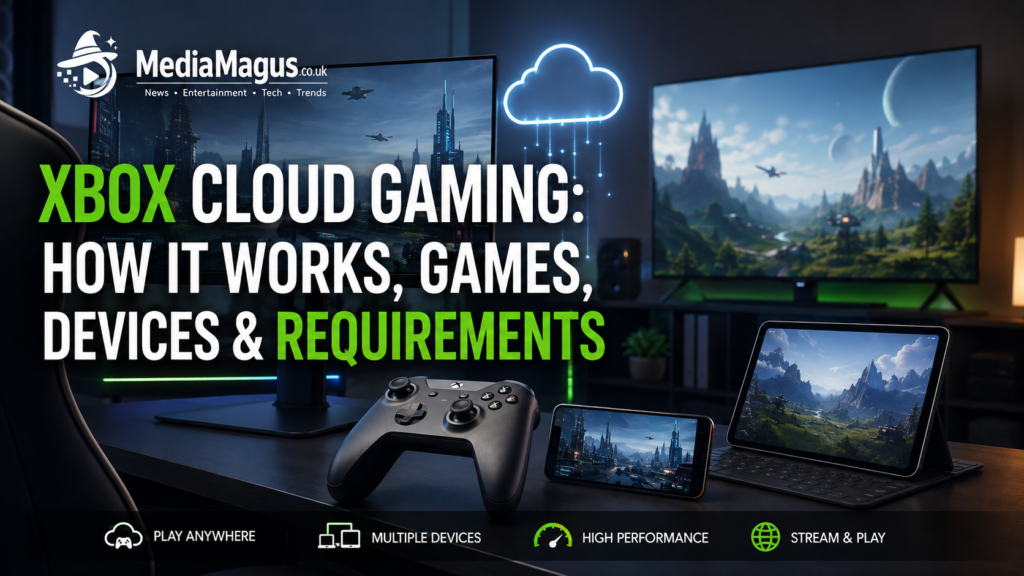

Xbox Cloud Gaming has changed the way players access console games by moving much of the hardware required to run a game from the player’s home to Microsoft’s cloud infrastructure. Instead of downloading a large game and relying entirely on a local console or gaming PC, compatible games can be streamed over the internet to supported phones, tablets, PCs, consoles, televisions, handheld devices and other screens. As of 2026, Xbox Cloud Gaming has also expanded beyond its earlier beta era identity and is available through multiple Xbox Game Pass plans, making cloud streaming more accessible than it was when the service first launched.
The important distinction is that cloud gaming is streaming gameplay rather than downloading the complete game to your device. Microsoft’s servers run the game, while your device receives the video output and sends your controller inputs back through the internet. That makes Xbox Cloud Gaming particularly interesting for people with modest hardware, limited storage or a desire to play Xbox titles away from their main console. However, the quality of the experience depends heavily on your internet connection, location, supported region, device and the particular game being streamed.
What Is Xbox Cloud Gaming?
Xbox Cloud Gaming is Microsoft’s game streaming service that allows supported Xbox games to run from Microsoft’s cloud servers and be played on compatible devices. Rather than installing the game locally, the player connects to Microsoft’s cloud gaming infrastructure and controls the remotely running game. The resulting gameplay video is streamed back to the screen, creating an experience similar in concept to streaming a film, except the connection has to respond continuously to player input.
The service is integrated with Xbox Game Pass. Microsoft currently lists cloud gaming as a benefit of Xbox Game Pass Essential, Premium and Ultimate, although the exact library, features and availability can vary according to plan, region and platform. Select free to play games, including Fortnite, can also be played through cloud gaming with a free Microsoft account in supported regions.
Cloud gaming can therefore remove one of the biggest barriers to modern gaming: powerful local hardware. A phone that could never run a demanding console game natively may still be capable of streaming it if the device, region, connection and game are supported.
How Xbox Cloud Gaming Works
The basic process is straightforward. You select a cloud supported game, Microsoft’s servers run the game remotely, and your device receives the resulting video stream. Every button press from the controller is transmitted back to the server. Because this communication happens continuously, cloud gaming is much more sensitive to latency and connection stability than watching ordinary online video.
This is why download speed alone does not determine whether Xbox Cloud Gaming will feel good. A connection can have a respectable download rate but still produce an unpleasant experience if it suffers from high latency, packet loss, interference or inconsistent performance. Xbox recommends at least 10 Mbps download speed for mobile devices, while some devices may benefit from 20 Mbps, and Microsoft recommends a 5 GHz Wi-Fi connection where possible.
For competitive games, connection quality becomes even more important. A small delay may be barely noticeable when playing a turn based strategy game, but it can be much more obvious in a fast shooter or racing game. Cloud gaming is therefore best viewed as an increasingly capable alternative to local hardware rather than a perfect replacement for a high end gaming PC or console in every situation.
What You Need to Use Xbox Cloud Gaming
Game Pass subscription
Xbox Cloud Gaming is currently tied primarily to Xbox Game Pass. Microsoft says unlimited cloud gaming is included with Essential, Premium and Ultimate plans, although benefits and game libraries differ between subscriptions. Ultimate is positioned as the highest tier option and includes the broadest package of gaming benefits, while Essential and Premium provide lower cost routes into cloud gaming.
The subscription requirement is important because having a compatible phone or PC does not automatically give you access to the complete cloud library. The availability of individual games can also change over time. Microsoft specifically warns that game titles, features and availability vary by region, Game Pass plan and platform.
Compatible device and controller
You can use Xbox Cloud Gaming across a growing range of hardware. Microsoft’s current cloud gaming page lists Windows PCs, Apple and Android phones and tablets, Xbox consoles, selected smart TVs, Amazon Fire TV devices, selected Meta Quest headsets and additional supported devices. Browser based gaming is also available through supported browsers such as Microsoft Edge, Google Chrome and Safari.
A compatible controller is normally the best way to play. Xbox controllers are supported, and Microsoft also documents support for other controllers. Selected games provide touch controls, which can make a phone or tablet much more convenient when you do not have a physical controller available.
Internet connection
Internet quality is arguably the most important technical requirement. Xbox recommends a minimum of 10 Mbps download speed, with some devices requiring around 20 Mbps for the best quality. Microsoft also recommends 5 GHz Wi-Fi or a suitable mobile data connection.
For the best experience, use a stable connection rather than focusing exclusively on the maximum advertised speed. If possible, stay close to a modern Wi-Fi router, avoid unnecessary network traffic while gaming and use a wired connection on compatible equipment when practical.
Where You Can Play Xbox Cloud Gaming
One of Xbox Cloud Gaming’s biggest advantages is its device flexibility. The service is no longer limited to the traditional console environment, allowing players to move between screens depending on where they are and what equipment they have available.
Phones and tablets
Cloud gaming can turn a compatible smartphone or tablet into a portable Xbox gaming screen. Players can access cloud gaming through supported mobile experiences and Xbox.com/play, using a compatible controller or touch controls for selected games. Microsoft currently supports cloud gaming on supported Android and Apple mobile devices, although exact device and regional requirements should be checked before subscribing.
This is particularly useful for short gaming sessions. Instead of carrying a console or gaming laptop, you can combine a phone, controller and reliable connection to access supported Xbox games.
Windows PCs and browsers
PC users can access Xbox gaming through supported Xbox experiences and browsers. Browser access is especially useful when you do not want to install a large game locally. Microsoft lists Edge, Chrome and Safari among supported browsers for Xbox.com cloud gaming.
Cloud streaming can also be attractive for older or lower powered PCs. The machine still needs to handle the browser or Xbox application and decode the incoming video stream, but it does not need to render the entire game locally.
Xbox consoles
Cloud gaming is also available on Xbox consoles. This may initially seem unnecessary because a console can already run games locally, but there is a practical advantage: players can stream certain games before committing to a large download. Cloud streaming can therefore act as a quick way to try a title before installing it.
Microsoft has also expanded streaming quality on supported Xbox consoles. In February 2026, Xbox announced rollout of up to 1440p streaming and higher bitrate for Game Pass Ultimate members on supported titles, consoles and regions.
Smart TVs and streaming devices
Xbox Cloud Gaming has also moved into the living room. Microsoft supports cloud gaming on selected LG and Samsung smart TVs and Amazon Fire TV devices. On supported televisions, players can launch the Xbox experience and connect a compatible controller without necessarily owning an Xbox console.
This is one of the clearest examples of Microsoft’s broader cloud strategy: the screen does not necessarily need to be a traditional gaming device for Xbox games to become accessible.
Handhelds and VR headsets
Xbox has expanded its cloud ecosystem to additional handheld and VR hardware as well. Microsoft’s cloud gaming documentation lists supported Meta Quest headsets alongside PCs, mobile devices, TVs and other compatible platforms. Support varies, so users should check Xbox’s current compatibility information rather than assuming every device works identically.
Which Games Can You Play?
Xbox Cloud Gaming offers a substantial and changing selection of games rather than a permanently fixed catalogue. Microsoft says that selected free to play games and most titles in the Xbox Game Pass library are available from the cloud, while the current Xbox cloud gaming catalogue provides the definitive list of playable titles.
Examples currently appearing on Microsoft’s cloud gaming service include titles such as Sea of Thieves, Fallout 4, DOOM: The Dark Ages, It Takes Two, Assassin’s Creed Odyssey, Far Cry 6, Minecraft Legends, Balatro and other games. The catalogue changes, so these examples should not be interpreted as a permanent list.
The service also supports selected free to play games. Fortnite, for example, can be played through cloud gaming with a free Microsoft account in supported regions, without requiring a paid Game Pass subscription for that specific free to play access.
Can You Stream Games You Own?
Yes, but with an important qualification: not every game you own is automatically streamable. Microsoft says players can stream selected cloud playable games that they own or purchase even when those titles are not included in Game Pass. Availability depends on whether the specific game supports cloud streaming and whether the feature is available in the user’s region and on the relevant platform.
This distinction makes Xbox Cloud Gaming more flexible than a simple subscription only streaming catalogue. However, users should check the cloud icon or streaming availability for an individual title before purchasing it specifically for cloud play.
Xbox Cloud Gaming Resolution and Performance
Cloud gaming performance has improved considerably, but it remains dependent on the quality of the connection between the player and Microsoft’s servers. Resolution can also vary by title, device, subscription and region. Microsoft introduced support for streaming at up to 1440p for selected titles, with higher quality streaming available to Game Pass Ultimate members under supported conditions.
Resolution is only one part of the experience. Bitrate, latency, server distance, Wi-Fi interference and network congestion can all affect image quality and responsiveness. A stable 1080p stream with low latency can feel much better than a higher resolution stream suffering from frequent drops or input delay.
For that reason, players should evaluate Xbox Cloud Gaming based on real world responsiveness rather than treating resolution as the only performance measurement.
Xbox Cloud Gaming Advantages and Limitations
The biggest advantage is convenience. You can avoid downloading potentially enormous games, save local storage and access supported titles on hardware that may not be powerful enough to run them natively. Cloud gaming also makes it easier to switch between devices and can provide a useful way to try games before installing them.
The major limitation is dependency on the internet. If your connection becomes unstable, the gaming experience can deteriorate immediately. Cloud gaming can also introduce input latency that is less noticeable during slower games but potentially frustrating in competitive titles. Game availability is another limitation because not every Xbox game is cloud enabled, and catalogues vary by region and subscription.
There is also a practical regional consideration. Xbox Cloud Gaming is not available in every country or market. Microsoft’s official supported regions database should therefore be checked before purchasing a Game Pass plan specifically for cloud streaming.
Is Xbox Cloud Gaming Worth It?
For many players, Xbox Cloud Gaming is worth considering if they already have a suitable Game Pass subscription and a reliable internet connection. It is especially compelling for people who want to play on phones, tablets, TVs or lower powered computers without installing large games. The ability to stream selected owned games also adds flexibility beyond the traditional Game Pass model.
However, cloud gaming is not automatically the best option for everyone. Players with a powerful gaming PC or Xbox console and a strong local setup may prefer native gaming for maximum image quality, minimum latency and predictable performance. Competitive esports players should also consider whether their network introduces enough delay to affect their performance.
The strongest use case is therefore convenience: Xbox Cloud Gaming works best when you value access and flexibility as much as raw local hardware performance.
Conclusion
Xbox Cloud Gaming has developed into a significant part of Microsoft’s Xbox ecosystem rather than simply being an experimental way to stream games. Its biggest strength is freedom: you can access supported Xbox games from phones, tablets, PCs, consoles, TVs and other compatible hardware without depending entirely on local game installation. Microsoft’s expansion to additional devices, Game Pass plans and higher streaming resolutions makes the service increasingly practical for everyday gaming.
The most important factors remain Game Pass eligibility, regional availability, supported games, device compatibility and internet quality. If those pieces line up, Xbox Cloud Gaming can provide a remarkably convenient way to play without owning the most powerful gaming hardware. Before subscribing, however, check Microsoft’s current cloud gaming catalogue and supported region information because both availability and features can change over time.
Frequently Asked Questions
What is Xbox Cloud Gaming?
Xbox Cloud Gaming is Microsoft’s game streaming service that lets players run supported Xbox games through Microsoft’s cloud servers instead of installing and rendering them entirely on their local device. Compatible phones, tablets, PCs, consoles, TVs and other devices can access supported games with an appropriate subscription, device and internet connection.
Do you need Xbox Game Pass for cloud gaming?
For most cloud gaming access, yes. Xbox currently includes unlimited cloud gaming with Game Pass Essential, Premium and Ultimate in supported markets. Selected free to play games, including Fortnite, can be played through cloud gaming with a free Microsoft account in supported regions.
Can I play Xbox Cloud Gaming on my phone?
Yes. Xbox Cloud Gaming supports compatible Android and Apple mobile devices in supported regions. Players can use a compatible controller, while selected games support touch controls. Microsoft’s mobile and cloud gaming pages provide the latest compatibility information.
What internet speed does Xbox Cloud Gaming require?
Xbox recommends at least 10 Mbps download speed, while some devices may require around 20 Mbps for the best quality. Microsoft also recommends 5 GHz Wi-Fi or a suitable mobile connection. Actual performance depends on latency, stability, location and other network conditions.
Can you play Xbox Cloud Gaming without an Xbox console?
Yes. An Xbox console is not required for supported cloud gaming devices. You can use compatible phones, tablets, PCs, supported browsers, televisions and other devices, provided cloud gaming is available in your region and you meet the subscription and hardware requirements.
Can I stream Xbox games that I own?
Yes, selected games that you own or purchase can be streamed even when they are not included in Game Pass. The feature applies only to supported cloud playable games and is subject to platform and regional availability.
Is Xbox Cloud Gaming good for competitive games?
It can work for many games, but competitive players should pay close attention to latency and connection stability. Cloud gaming adds an internet dependent layer between your controller and the game server, so local hardware gaming can still provide a more predictable experience for highly competitive play.
What is the best Game Pass plan for Xbox Cloud Gaming?
The best plan depends on your needs. Essential provides a lower cost entry point, Premium adds a larger catalogue and additional benefits, while Ultimate offers the broadest package and Microsoft’s best cloud streaming quality and shortest wait times. Pricing, benefits and availability can change, so check the current Xbox Game Pass page before subscribing.